

HOW MAMBA WORKS
Discover the revolutionary technology behind Mamba Management App.
From setup to execution, understand every step of the process.
01 STRATEGY DEEP DIVE
V1 Growth - Smart Breakeven System
Conservative strategy with 2:1 reward-to-risk ratio. When trade reaches 50% profit, Stop Loss auto-moves to breakeven—eliminating risk while keeping full upside.
V1 Trading Parameters Explained
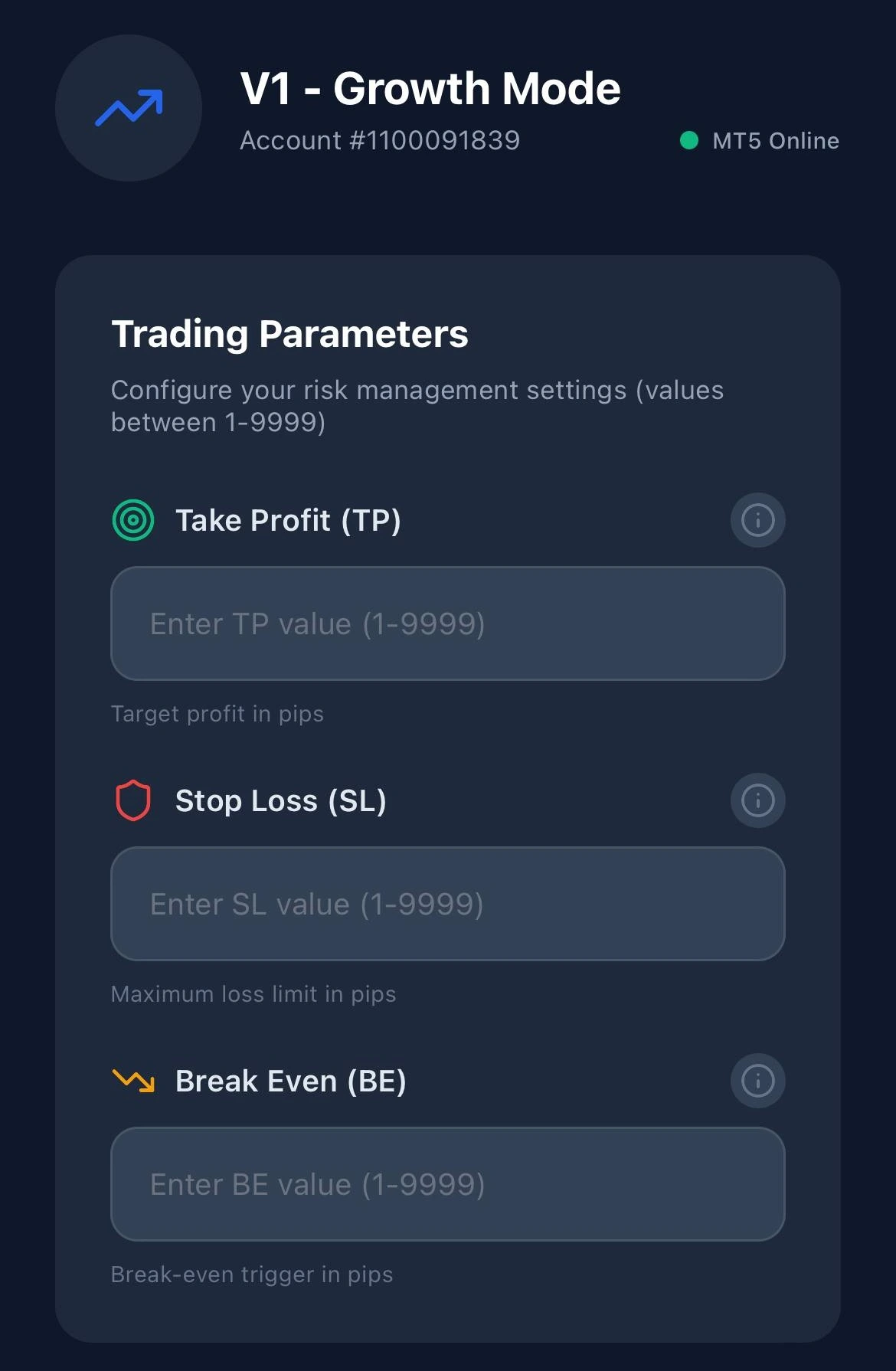
Take Profit (TP)
Your profit target per trade. Typical: 30-100 pips. Example: TP 50 = +50 pips profit target.
Stop Loss (SL)
Maximum loss per trade. Use 2:1 ratio. Example: TP 50 pips = SL 25 pips.
Break Even (BE)
Auto-moves SL to entry when profit hits this level. Set to 50% of TP. Example: TP 50 = BE 25.
Example settings: TP 50 / SL 25 / BE 25 is one commonly used V1 configuration. It is shown to illustrate how the parameters relate to each other, not as a recommendation — suitable values depend on your own strategy, instrument and risk tolerance.
V2 Superscalping - Dynamic Trailing Stop
High-frequency strategy for active traders. Stop Loss trails price movement at fixed distance—locking profits while letting winners run. Ideal for trending markets.
V2 Superscalping Parameters Explained
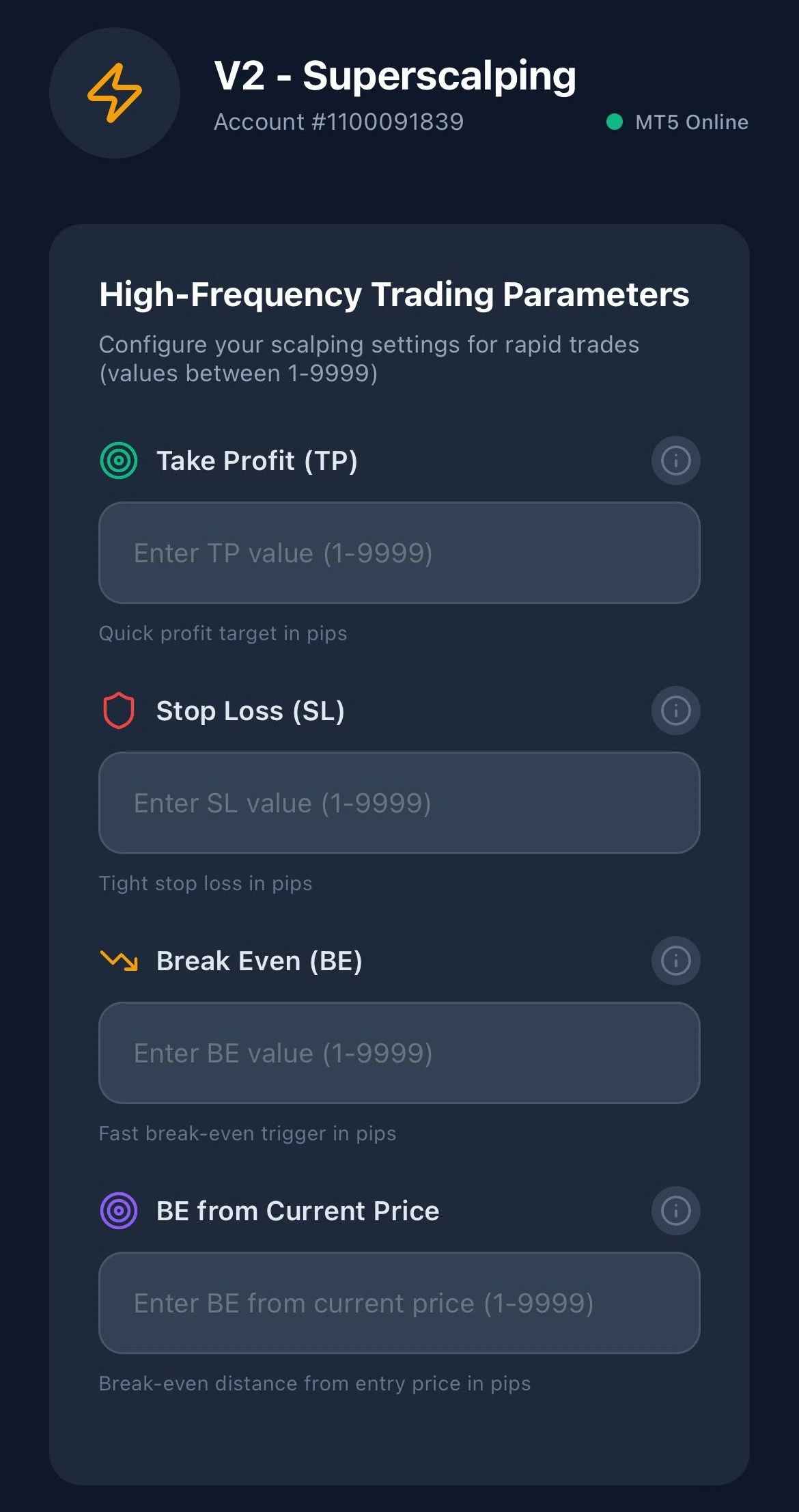
Take Profit (TP)
Quick profit target. Range: 10-30 pips. Lower values = more trades daily.
Stop Loss (SL)
Tight stop for scalping precision. Use 2:1 ratio. Example: TP 20 = SL 10.
Break Even (BE)
Trigger after BE activates trailing stop. Set to 50% of TP. Example: TP 20 = BE 10.So your SL will trigger the movement toward the current price.
BE from Current Price
Trailing distance—how many pips SL stays behind peak price. Lower = tighter protection. Higher = larger potential gains.The distance from current price from SL after BE triggered.
Example settings: TP 20 / SL 10 / BE 10 / BE-from-current 8 illustrates a tighter V2 configuration. Shown for illustration only, not as a recommendation — tighter targets increase exposure to spread and slippage.
02 SETUP PROCESS
OPEN YOUR MT5 ACCOUNT
Start by creating a MetaTrader 5 account with our partner broker, Valetax. Mamba connects to your MT5 account, so you need one before the app can manage anything. We act as an Introducing Broker for Valetax and are compensated by them based on referred accounts. This does not change your trading costs, but you should know the relationship exists.
- ✓ Register with Valetax broker
- ✓ Complete KYC verification
- ✓ Fund your trading account
- ✓ Download MT5 terminal
DOWNLOAD MAMBA MOBILE APP
Install the Mamba Trading App from the App Store or Google Play. The app provides the remote control interface for your entry management.
- ✓ Available on iOS & Android
- ✓ Secure biometric login
- ✓ Real-time notifications
- ✓ Free to download and use
AUTHENTICATE & LINK ACCOUNT
Open the mobile app and enter your MT5 account credentials. Mamba will establish a secure connection between your phone and the EA running on your terminal.
- ✓ Enter MT5 login & server
- ✓ Verify connection status
- ✓ Enable auto-sync
- ✓ Multi-account support
CONFIGURE TRADING STRATEGY
Choose your trading mode (Growth or Superscalping) and set your risk parameters. All settings are applied instantly to the EA without restarting.
- ✓ Select V1 Growth or V2 Superscalping
- ✓ Set Take Profit levels
- ✓ Configure Stop Loss
- ✓ Enable Break Even mode
START TRADING
Activate the EA from your mobile app and let Mamba manage your trades. Monitor performance, adjust settings, and control everything from your smartphone.
- ✓ One-tap EA activation
- ✓ Live P&L tracking
- ✓ Start trading on the MT5 app
- ✓ Remote parameter adjustment
03 READY TO START?
Open a free Valetax demo account and try Mamba against simulated funds before you risk anything real.